
Chatwise Core Features
Any LLM
ChatWise supports any LLM model, including GPT-4, Claude, Gemini, and more.
Performance
ChatWise is built with performance in mind, and is optimized for desktop experience.
Privacy
All your data is stored locally, and never leaves your device (except for sending chat requests to your LLM provider).
Simplicity
Simple yet powerful, ChatWise is designed to be easy to use, without the bloat.
Multi-modal
Chat with audio, PDF, images, text files, and more.
Web search
Search the web with Tavily or local browsers for free.
Installation
Download Link: https://chatwise.app/Add AGCloud Configuration
Open Setting page to initialize provider configuration.1
Add Provider
Open
setting and click the ”+” button to add model providers2
Provider Name
Add our name
AGCloud to the provicer’s name3
Fill Host URL
Paste the follow url to base URL:
https://aiandgpu.com/v14
Get Your API Key
Generate and Copy your AGCloud API Key
5
Refresh Models
Refresh all models in AGCloud platform
6
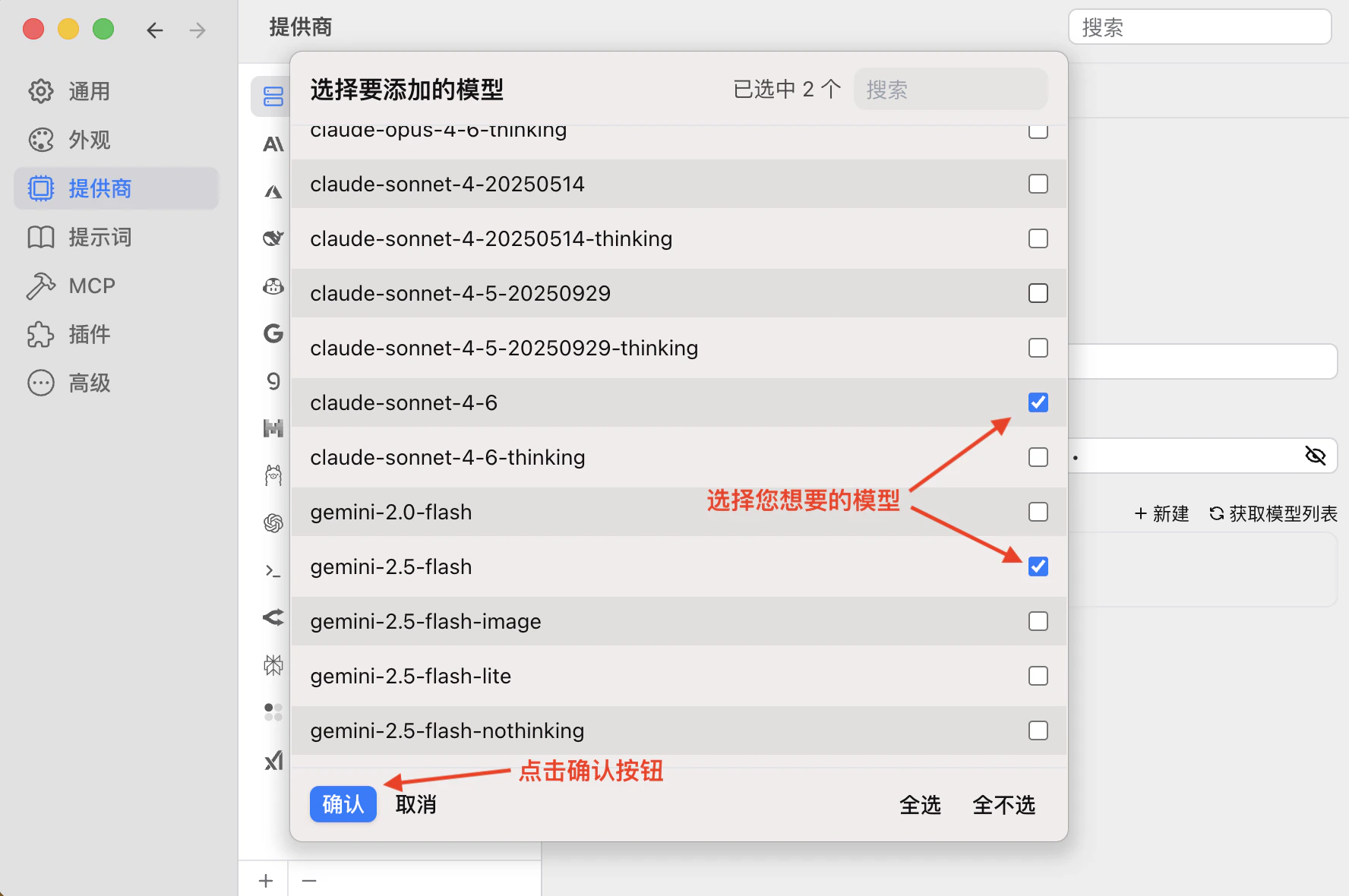
Select Models
Select that models you want to use
7
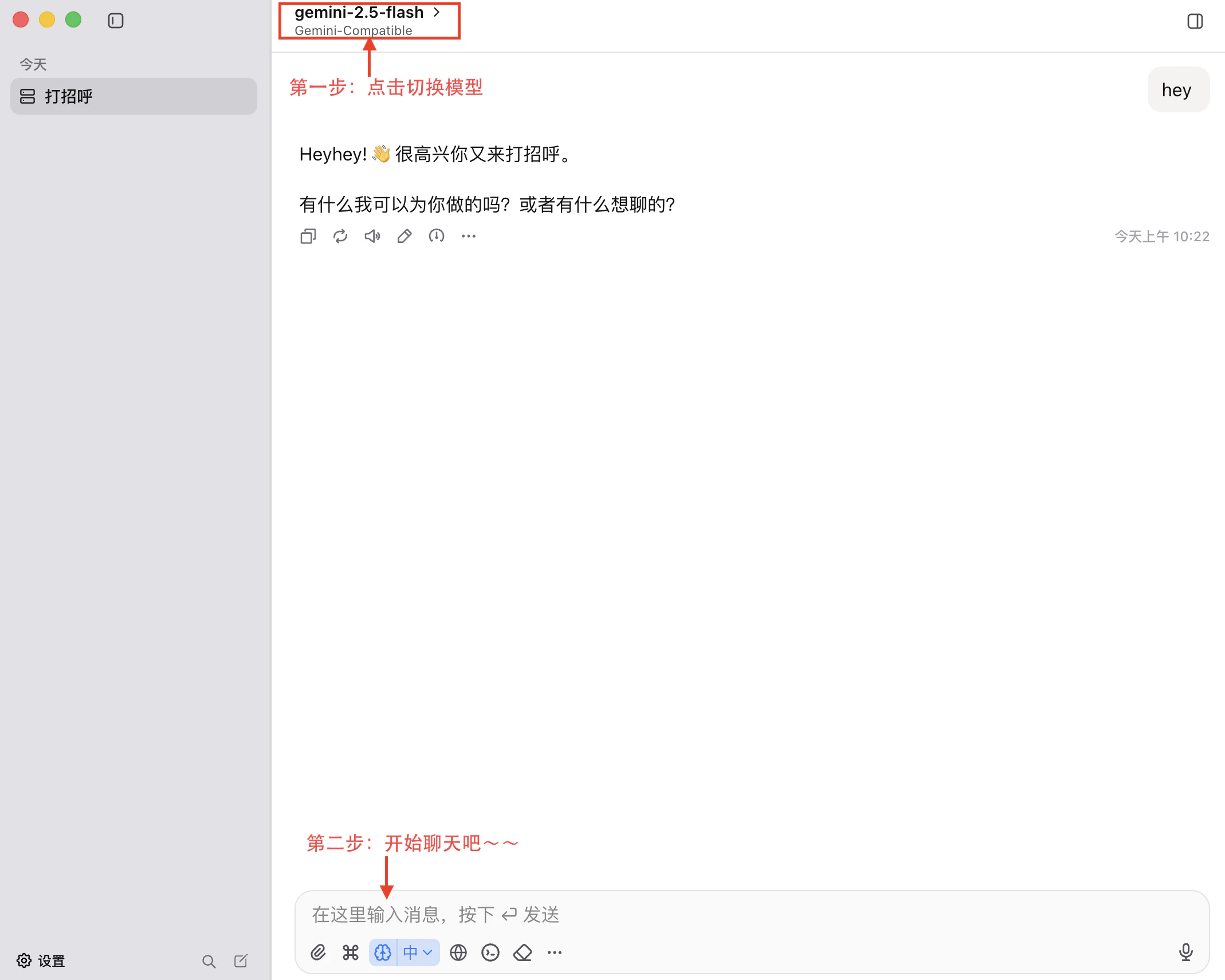
Start Chat
Return
home and select the provider just added. Start with yourself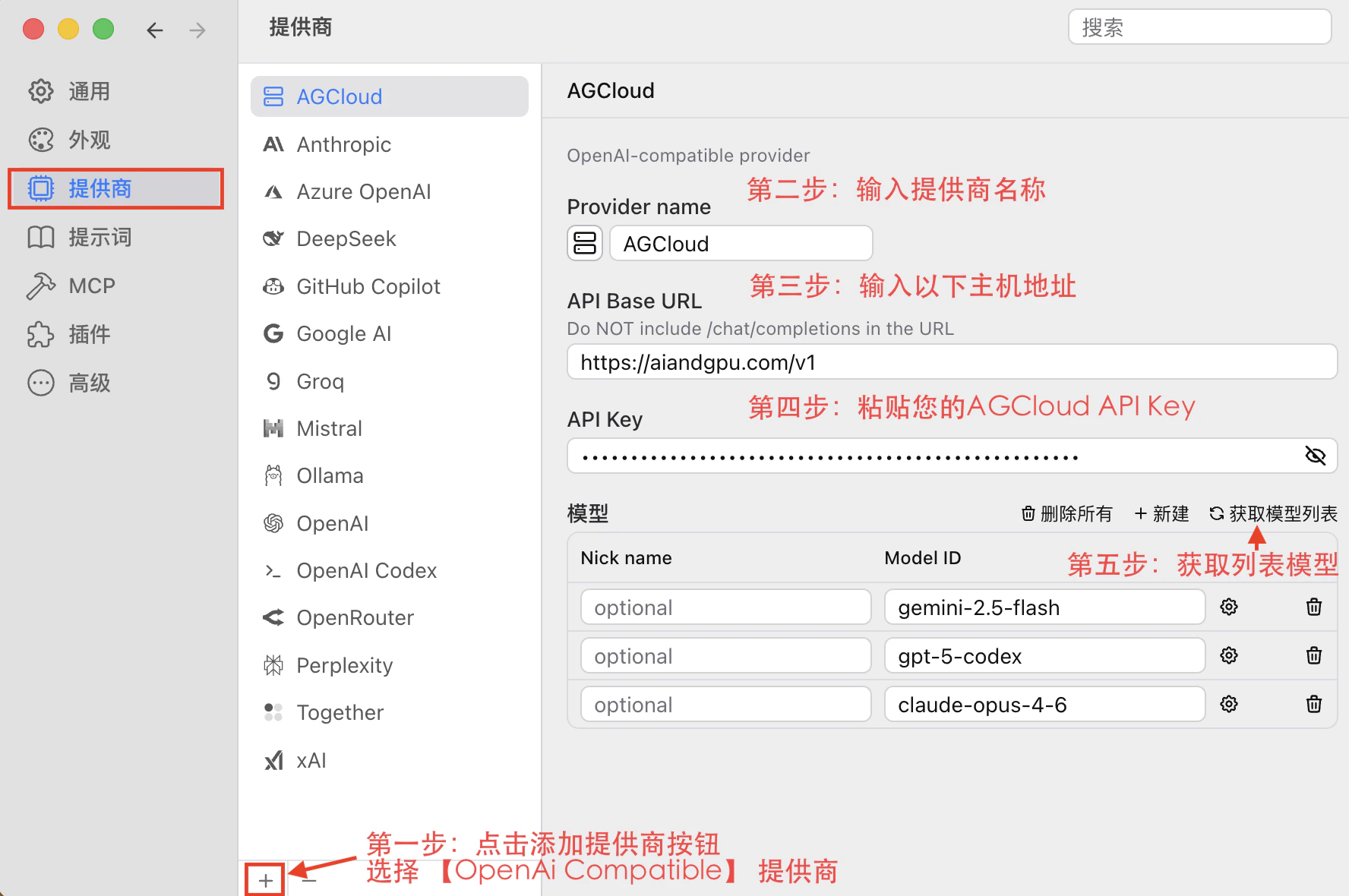
Step 3: Start Chat
Close Setting page and select you have added provider model.